
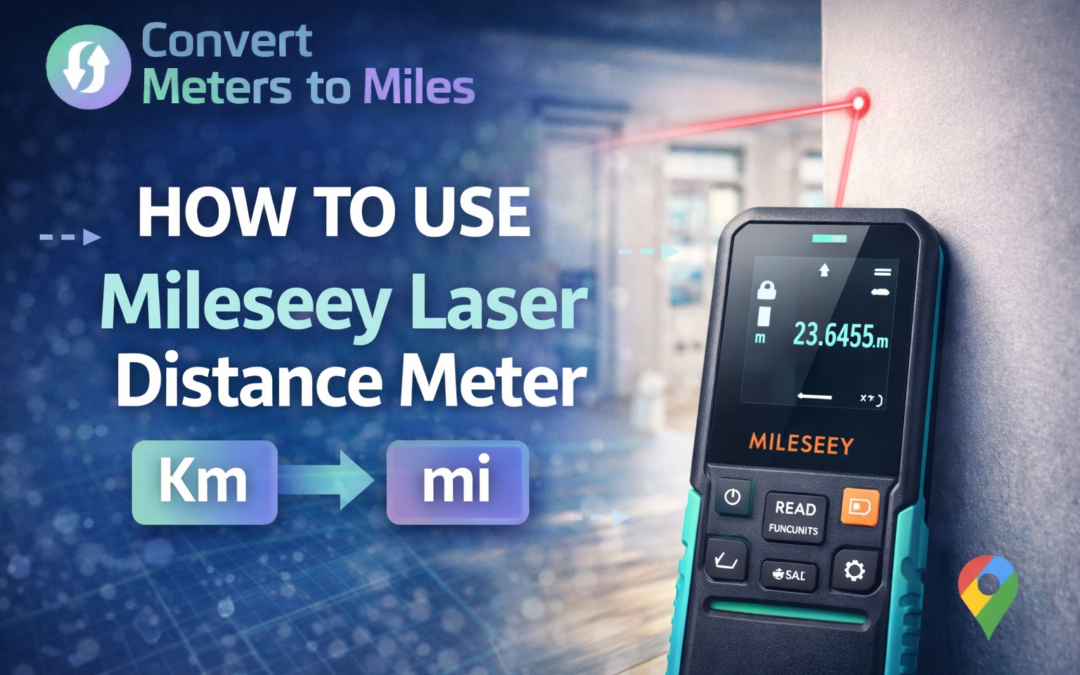
Knowing how to use Mileseey laser distance meter correctly gives you precise measurements in seconds without relying on a traditional tape measure. You reduce manual errors, speed up project timelines, and improve decision-making on construction, remodeling, or DIY tasks.
In this post, you will learn exact setup steps, measurement modes, safety standards, and advanced features so you can measure with confidence and accuracy.
Understanding How a Mileseey Laser Distance Meter Works
Before you begin measuring, you should understand how the device calculates distance. A Mileseey laser distance meter emits a laser pulse toward a target and calculates the time it takes for the reflection to return, converting that time into distance. Most models offer accuracy up to ±2 mm and provide results in about 0.5 seconds, which makes them significantly faster than manual measuring tools.
The device includes a built-in processor that handles calculations automatically, removing the need for mental math. Because the laser reads reflections from the surface, stability and surface texture directly affect accuracy. When you hold the meter steady and aim at a solid target, you get consistent and reliable readings.
Preparing Your Device Before First Use
Proper setup ensures you avoid measurement errors from the start. Insert the recommended AAA batteries correctly and confirm the display powers on without flickering or warning icons. If the unit has been stored for a long period, inspect the battery contacts and lens for dust or corrosion.
You should also select your preferred unit of measurement before taking your first reading. Most Mileseey models allow switching between meters, feet, inches, or feet plus inches. Choosing the correct unit early prevents conversion mistakes during large-scale planning.
Selecting the Correct Reference Point
One essential feature of a Mileseey laser distance meter is the ability to change the reference point. You can measure from the rear of the device or from the front, depending on your project needs. By default, most models measure from the rear to provide flush wall-to-wall readings.
Switching reference points becomes critical when measuring tight corners or interior cabinets. When the reference is incorrect, your reading can shift by the exact length of the device body. Always confirm the on-screen indicator shows the correct reference before pressing the measure button.
Taking a Single Distance Measurement
To take a standard measurement, place the rear of the device firmly against a wall or stable surface. Aim the laser at the target point and press the measurement button once to activate the beam, then press again to lock the result. The reading will appear instantly on the backlit display.
Keep the device steady while the laser is active to avoid fluctuations. Avoid aiming at glass, mirrors, or highly reflective metal because reflections may distort the signal. If you notice inconsistent results, re-measure and ensure the lens is clean.
Using Continuous Min and Max Mode
Continuous measurement mode helps you track distance changes while moving the device. When activated, the screen displays real-time distance along with minimum and maximum values detected during scanning. This feature is particularly useful when aligning walls, framing, or positioning fixtures.
For example, when determining total space before calculating materials, you can measure length and width precisely before applying formulas from resources like how to calculate square feet so your flooring or drywall order matches the actual dimensions. Accurate measurements at this stage reduce waste and unnecessary expense. Always stop the scan manually once you confirm the correct value.
Measuring Area and Volume Efficiently
Area mode simplifies multi-step calculations into an automated process. You measure length first, then width, and the device calculates the total square footage instantly. This reduces human error and speeds up planning tasks in residential or commercial projects.
When planning HVAC upgrades, accurate room measurements help determine capacity needs before reviewing guides like what size ac unit for 2000 square feet to ensure proper cooling performance. Volume mode works similarly by adding height measurement to compute cubic footage. You simply follow on-screen prompts and confirm each dimension.
Applying the Pythagorean Function for Indirect Measurements
The Pythagorean function allows you to measure heights or inaccessible distances indirectly. You take two or three measurements following on-screen guidance, and the device calculates the missing dimension using geometric formulas. This is useful for measuring wall heights without climbing ladders.
Keep the device level during each step to maintain precision. Many Mileseey models include bubble levels to help you align horizontally and vertically. Stable positioning ensures the calculation reflects real-world geometry accurately.
Performing On-Device Calculations and Unit Conversions
Modern Mileseey meters allow addition and subtraction of measured values directly on the screen. This simplifies tasks such as combining two wall lengths or subtracting window openings from total wall area. Built-in memory typically stores up to 20 readings for quick recall.
When working across measurement systems, you may need to convert results for reporting or documentation. For instance, if a long property boundary requires unit adjustment, you can quickly convert feet to miles to present clear distance metrics for contractors or clients. Performing accurate conversions prevents costly miscommunication.
Safety Standards You Must Follow
Mileseey laser distance meters are typically classified as Class 2 laser products. You should never stare directly into the beam or point it at another person. Even though the laser is low-power, safe handling prevents eye irritation or accidental exposure.
Avoid using the device in explosive, corrosive, or high-interference environments. Keep it away from medical equipment and do not modify internal components. Responsible usage protects both the equipment and everyone around you.
Troubleshooting Common Measurement Issues
If the device fails to power on, check battery orientation and charge levels first. Replace batteries if the display appears dim or the unit shuts off unexpectedly. Clean the lens gently with a soft cloth to remove dust that may interfere with readings.
Bright sunlight can make the laser dot difficult to see outdoors. Shade the target surface or use a reflective plate if available. If an error code appears, confirm you are within the 40 meter or 131 foot operating range.
Maintenance and Storage Best Practices
Proper maintenance extends the lifespan of your measuring device. Store it in the provided pouch to protect against dust and minor impacts. Avoid exposing it to excessive moisture even if the unit carries an IP54 rating.
Remove batteries during long-term storage to prevent corrosion. Wipe the housing and lens after job-site use to maintain optical clarity. Consistent care ensures your readings remain accurate for years.
Practical Applications in Construction and Home Projects
You can use a Mileseey laser distance meter for framing, flooring installation, cabinetry alignment, and painting preparation. Contractors rely on instant readings to streamline project workflows and improve on-site productivity. Homeowners benefit from precision when planning renovations or purchasing materials.
For example, measuring total wall area before painting ensures you buy the correct quantity of supplies. Accurate area measurement eliminates guesswork and supports efficient budgeting. With reliable data, your project planning becomes faster and more cost-effective.
Conclusion
Learning how to use Mileseey laser distance meter properly transforms the way you measure space and plan projects. You gain fast, precise results with minimal physical effort compared to traditional tape measures. By selecting the correct reference point, stabilizing the device, using advanced modes, and maintaining proper safety practices, you ensure consistent high-quality performance.
Accurate measurements reduce material waste, improve installation precision, and strengthen professional credibility. When you apply area, volume, and Pythagorean functions correctly, you handle both simple and complex measurements with ease. With proper maintenance and correct decision-making, your Mileseey laser distance meter becomes a dependable tool for construction, remodeling, and everyday DIY tasks.